We process your personal information to measure and improve our sites and service, to assist our marketing campaigns and to provide personalized content and advertising. By clicking the button on the right, you can exercise your privacy rights. For more information see our privacy notice.
Privacy Policy

New: Custom Thermal Binding Covers
November 28, 2018
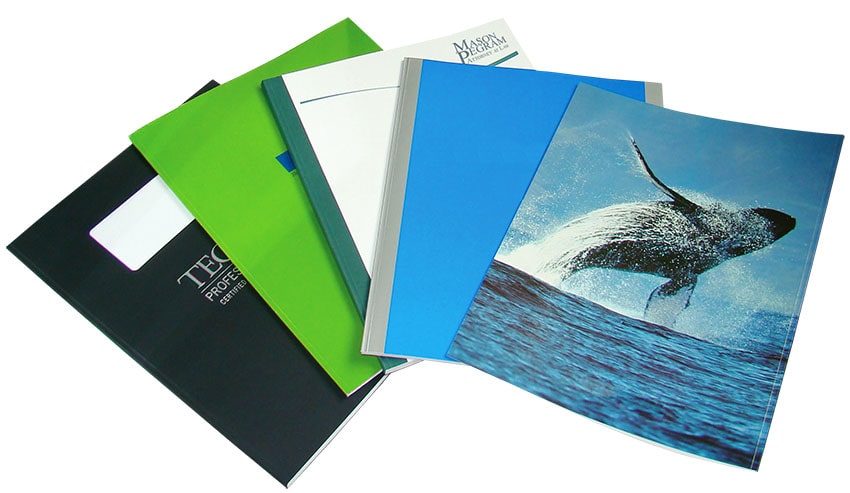
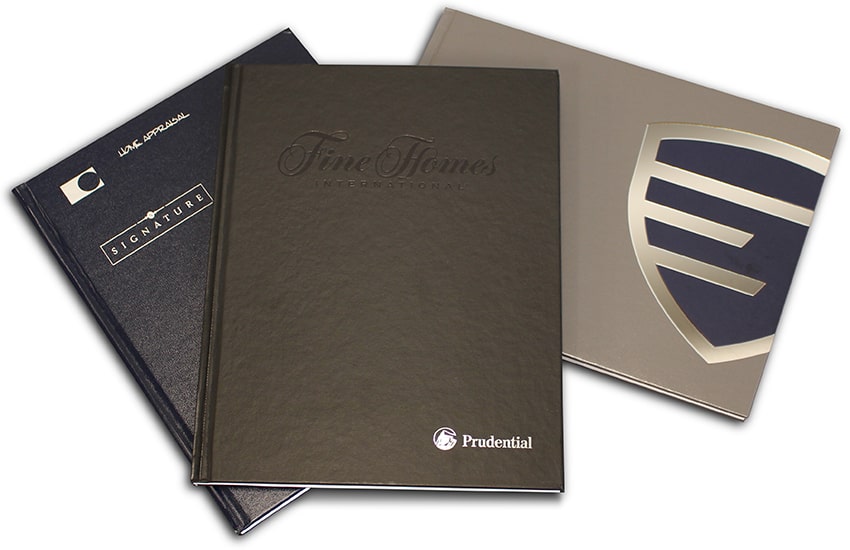
Choose from our vast selection of Coverbind custom thermal binding covers. We offer custom printing and foil stamping on the standard covers, as well as custom materials that allow you to truly make something that is one-of-a-kind. Whether you want to get custom soft covers or hard covers, we can do it all.
We can print your company name, create a premium metallic foil stamp of your logo, or brand the covers in any way that you want for your business. Use a unique material, like a textured vinyl, or a more traditional linen or laminated wrap. Go for a fun design that emphasizes your personality, or a clean and professional one to enforce your authority in the field. We can add cut-out windows, make you nearly any custom size, deboss, and match your past order samples (even if you didn't buy them from us). Whatever look you want to portray, we can help with our custom thermal binding covers.
To get a quote for custom thermal covers, call us at (866) 537-2244.
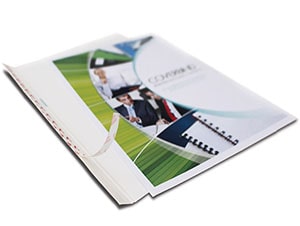
In addition to these custom-made covers, we also offer a variety of thermal binding covers that you can customize yourself. These include Print On-Demand soft covers, Design On-Demand soft covers, and Hardcover On-Demand (yep, you guessed it) hard covers.
Print On-Demand

Full Wrap-Around Cover
Compatible with Most Printers
Design On-Demand
Back Cover/Spine + Front Cover
Use any Custom Covers or Print Included Covers
Hardcover On Demand

Full Wrap-Around Hard Cover with Deboss
Print Included Labels
If you thermal bind, then you know that thermal binding is the easiest way to bind documents, bar-none! It uses heat and glue to bind the pages into covers in one step, but without having to add messy melted glue yourself. Thermal bind covers come with pre-applied adhesive that is activated once it is placed into the thermal binding machine, creating a strong bind.
To bind with thermal binding covers, all you do is place your pages into the cover, and then place that cover onto the machine. Depending on the machine, you either move it to a cooling rack, or allow it to automatically cool.

In her free time, Mallory's favorite things to do include volunteering at the animal shelter bottle feeding neonatal kittens, reading at the park, and binge streaming TV shows with her 3 furbabies and family beside her.

Hi! My name is Mallory and I have been in the industry since 2008. If you do the math, that is over 15 years. I have spent my time at Binding101 in many roles, including customer service, sales, e-commerce management, video production, and more! Because of this vast experience, I bring a truly expert touch to the content in our blog. widdling down complex topics to extract what our customers really want to know. As the Content and UX Manager, I act as a writer and editor for the majority of copy you will find here. When not at my computer, I love spending time binging stand-up comedy, baking, and cuddling up with my family and rescued cats and dogs...
Comment(s)




Trending Now

How to Bind Paper
January 29, 2019
What are the Best Laminators for Foiling?
July 10, 2018
How to Make a Wire Calendar 3 Different Ways
September 04, 2018
Everything you need to know about Foiling (with FAQs)
June 22, 2018
